Pages

Thursday, September 15, 2016

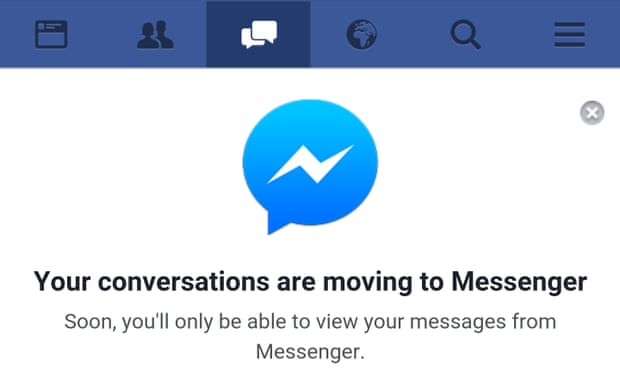
Why does Facebook Messenger say I'm active when I'm not using Messenger?


Hey,
Usually it takes about 7 mins for Facebook to updated your activity as being inactive. Occassionally your phone and FB app exchange information regarding messages and whatnot. This makes it look like your online.
Please note: your phone will take over the connection, if you sign out of Facebook on your computer. So whilst it may take 7 mins for your Facebook activity to be updated as offline, when your phone takes over the connection it may take an additional 7 mins for inactive to go off.

Simple answer: If you re active on facebook you can use the version of messenger which is incorporated in the website, so are (potentially) active on messenger as well.


The app could just be running in the background of your phone or the information might not have updated by the time you have checked it. If its hours later then I would think it is because the facebook messenger is running on the background.
Read More »

How do I move photos between 2 Google Photos accounts?

You can do this through shareable links in the new Google Photos!

Here's how to do it:
  1. Select the photos you want to move
  2. Click the "Share" icon in the top right (to the left of the + sign)
  3. From the menu below, click "Get shareable link" 
  4. Open that link while on the second Google Photos account (the one you want to move the photos to). If you are logged into both accounts on the same device, you can toggle which account you're using by clicking your picture (or the blue default picture) in the top right.
  5. When you open that link, you should see the following icon in the top right: 

  1. If you don't want the link to be active anymore, you can delete the shareable link from your first Google Photos account by clicking the menu (icon with 3 horizontal lines on the left), "Shared Links", and then deleting it from there.
With this method, you don't have to download and reupload the pictures, which saves a lot of time!

On top of my head, using a PC/Mac:
Download Google Drive, download all pictures from Account1 and signout,
now signin with Account2 and redirect your path to the existing folder.
Since, You've asked to move:
Once the copying is over, signin to your Account1 from a browser and delete them.

or use google takeout:
https://www.google.com/takeout
Moving photos between the two google accounts without using any software or a tool is difficult. But if you are using a desktop app like PicBackMan then things may look easy. Using PicBackMan you can easily download photos from your Account 'A' to your computer and then upload the downloaded photos to your Account 'B'. The upload and download process is automated, so you don't have to worry at all.
Read More »

Why does youtube video loads faster than other websites?


Its a very deep question but in one line- They breakdown video into bunch of frame-rates, identify what bandwidth will work on your device based on your connection and plays accordingly. Its a layman answer but YOuTube is trying to capture developing nations with 2G connections and this helps their cause.


YouTube runs on much faster servers than most other web sites.
To delve in a little further Google has a couple of really awesome technologies to stream video.
Compulsive Distribution Nuisance - CDN , Google has a ton of Data Networks all over the world and your video is probably played from a server closest to you.
Google File System, Google has some amazing technology to read and write files really fast compared to other servers
Cache - Google caches popular videos in the location at the closest data centers to the viewer based on location.

As I write this answer, there are 30 followers and 3 answers, each answer starting that they do it by adjusting the quality of video however I think the answer is not satisfactory.

I had a similar question I asked and have some people who have really spent time and effort writing the answers (some are pretty long too).

How does Google provide such a fast server?
Check this link for all the answers.

YouTube identifies the user internet speed and loads the video in the suitable quality. You may have seen from a video player's settings button that a it is available in many different stream qualities like 240p, 360p, 480p, 640p, 720p, 1080p, etc.
Higher number = better quality = more data consumption
So, in order to make video viewing smooth for users with limited bandwidth or with low internet speeds, YouTube plays the lower quality of the video. This doesn't irritate the viewers with the slow buffering of videos. Also, YouTube has much better bandwidth than other websites or video platforms.
Other sites usually use java and shockwave players with only one video quality (usually high quality) and also with limited internet bandwidth, which makes video playing irritating as it keeps buffering a lot.
I hope that answers your query.

YouTube identifies the user internet speed and loads the video in the suitable quality. You may have seen from a video player's settings button that a it is available in many different stream qualities like 240p, 360p, 480p, 640p, 720p, 1080p, etc.
Higher number = better quality = more data consumption
So, in order to make video viewing smooth for users with limited bandwidth or with low internet speeds, YouTube plays the lower quality of the video. This doesn't irritate the viewers with the slow buffering of videos. Also, YouTube has much better bandwidth than other websites or video platforms.
Other sites usually use java and shockwave players with only one video quality (usually high quality) and also with limited internet bandwidth, which makes video playing irritating as it keeps buffering a lot.
I hope that answers your query.

Simple , because browsers & certain internet service providers help to promote youtube so that they can enable to use more data usage & which increases cost for the consumers which leads to higher income in shorter time also certain providers provide thier own ads for less prices on youtube which enables them to help in overall profit of thier service providers.

Cuz they have got a powerful server and a good  programmed website management
Please Subscribe do not forget on my channel SUBSCRIBE
Read More »

Tuesday, September 6, 2016

Past Continues Tense 12 Sentence.
Was, Were, use for 4th form


I am write 12 sentence for past continues tense Was, Were,
Direct and indirect.

1.
Was eating Food.
Was not eating Food.
Was i eating food?
Was i not eating food?

2.
Was teaching.
Was not teaching.
Was i teaching?
Was i not teaching?

3.
Was going to perform the pray.
Was not going to perform the pray.
Was going to perform the pray?
Was i not going to perform the pray?

4.
Was playing Cricket.
Was not playing Cricket.
Was i playing cricket?
Was i not playing cricket?

5.
Was making tea.
Was not making tea.
Was i making tea?
Was i not making tea?

6.
Was reading book.
Was not reading book.
Was i reading book?
Was i not reading book?

7.
Was Learning English.
Was not Learning English.
Was i Learning English?
Was i not Learning English?

8.
Was Running.
Was not Running.
Was i Running?
Was i not Running?

9.
Was Going to mosque.
Was not going to mosque.
Was i going to mosque?
Was i not going to mosque?

10.
Was talking with you.
Was not talking with you.
Was i talking with you?
Was i not talking with you?

11.
I was going to center.
I was not going to center.
Was i going to center?
Was i not going to center?

12.
I was mistaking tea.
I was not mistaking tea.
Was i mistaking tea?
Was i not mistaking tea?
Read More »

Past Continues Tense 12 Sentence.
Is, am, are use for 4th form

I am write 12 sentence for past continues tense Is, am, are.
Direct and indirect.

1.
I am eating Food.
I am not eating Food.
Am i eating food?
Am i not eating food?

2.
I am teaching.
I am not teaching.
Am i teaching?
Am i not teaching?

3.
I am going to perform the pray.
I am not going to perform the pray.
Am i going to perform the pray?
Am i not going to perform the pray?

4.
I am playing Cricket.
I am not playing Cricket.
Am i playing cricket?
Am i not playing cricket?

5.
I am making tea.
I am not making tea.
Am i making tea?
Am i not making tea?

6.
I am reading book.
I am not reading book.
Am i reading book?
Am i not reading book?

7.
I am Learning English.
I am not Learning English.
Am i Learning English?
Am i not Learning English?

8.
I am Running.
I am not Running.
Am i Running?
Am i not Running?

9.
I am Going to mosque.
I am not going to mosque.
Am i going to mosque?
Am i not going to mosque?

10.
I am talking with you.
I am not talking with you.
Am i talking with you?
Am i not talking with you?

11.
I am going to center.
I am not going to center.
Am i going to center?
Am i not going to center?

12.
I am mistaking tea.
I am not mistaking tea.
Am i mistaking tea?
Am i not mistaking tea?


Read More »

Monday, September 5, 2016

Interjection Definition 
According to the same suden Happy and sad!
Hurry ! Happy.
Oh Shit  ! Mistake.

Read More »